A trade buyer may arrive knowing the product they need, the measurements they are working to and the questions they still need answered. Trade website design has to respect that knowledge while remaining useful to someone buying from a category for the first time.
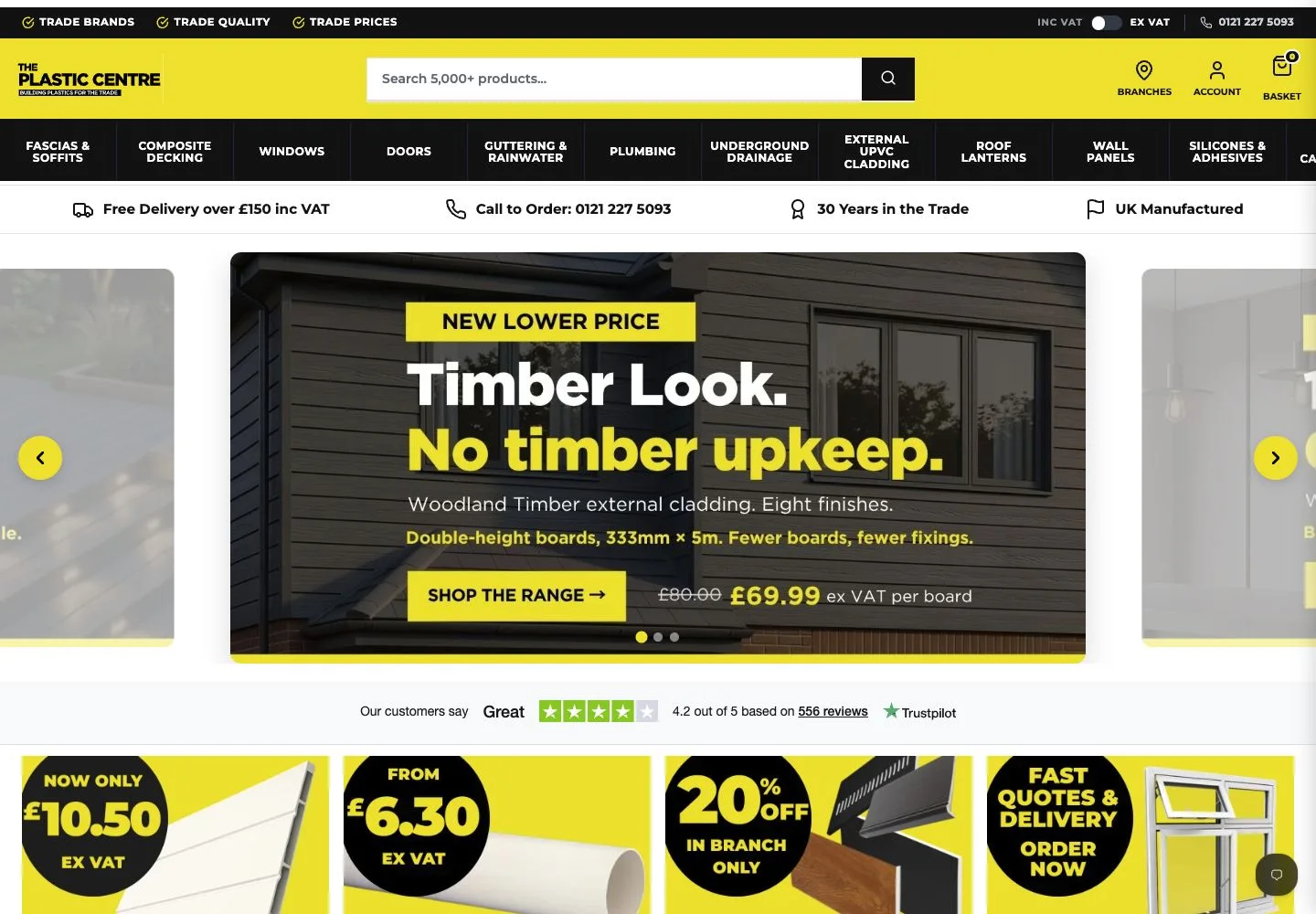
We built the Plastic Centre website around a wide building-materials catalogue. The site brings product browsing together with branch information, trade account information and an enquiry route for windows and doors.
It demonstrates a challenge that applies to many smaller suppliers too: one business can have several legitimate ways for a customer to buy.
Organise the catalogue around recognisable terms
The website separates major product families, including fascias and soffits, guttering, drainage, cladding, windows and doors. Within those groups, the navigation uses more specific product types, sizes and ranges.
For an experienced buyer, these distinctions can be central to the task. A general label may be easy to read but still leave too much work for someone looking for a particular component.
The practical lesson is to involve product knowledge in website planning. Use the terminology customers recognise, and explain less familiar terms where needed. Do not assume that the internal organisation of a stock system is automatically the best menu for a visitor. Check that the route from a broad category to a specific item makes sense to someone placing an order.
Keep search and browsing available
Product search is prominent on the site, alongside the category navigation. Customers also have visible routes to account information and the basket.
Search is useful when someone already has a product name or reference in mind. Browsing matters when they know the type of job but need to explore the options. Supporting both gives different visitors a workable starting point.
For a smaller supplier, begin with consistent product names and useful descriptions. A search box cannot compensate for missing or confusing information. Review common customer terms, alternative names and product references as part of preparing the catalogue, then check the experience using the language your customers actually use.
Allow for orders that need a conversation
The Plastic Centre includes a windows-and-doors quote route alongside products available to add to a basket. Branch information is also accessible from the main site.
This is a useful model for businesses that combine standard products with work needing measurements, specifications or advice. The website can explain which next step is appropriate to each purchase.
If that describes your business, be explicit about the distinction. Tell people what they can buy immediately, what requires a quotation and what information you need to prepare one. Give every route a clear destination. A customer should not have to discover halfway through an order that a telephone conversation was required from the start.
Put helpful guidance near the buying journey
The navigation links to project calculators and a gutter compatibility guide. These tools sit within the same buying environment as the products they relate to.
Useful guidance starts with recurring questions. Which items fit together? What measurements should someone take? What information would help your team recommend the right option? Answering those questions gives the website a practical role before an order is placed.
A small business does not need a large tool library to begin. One clear guide can be valuable if it addresses a common point of confusion. Build around the questions you can answer accurately and keep that information maintained.
Our Plastic Centre project overview shows the project in context. Explore our website design service if your business needs a clearer way to present its products, handle enquiries or connect its online offer with the support you provide in person.